StayOps
One clear place to run your rental properties
StayOps is a private, mobile-friendly dashboard for independent owners managing long-term, mid-term, or short-term rentals.
Bring property details, upcoming stays, important dates, open work, contacts, utilities, policies, and everyday operating information into one clear view.
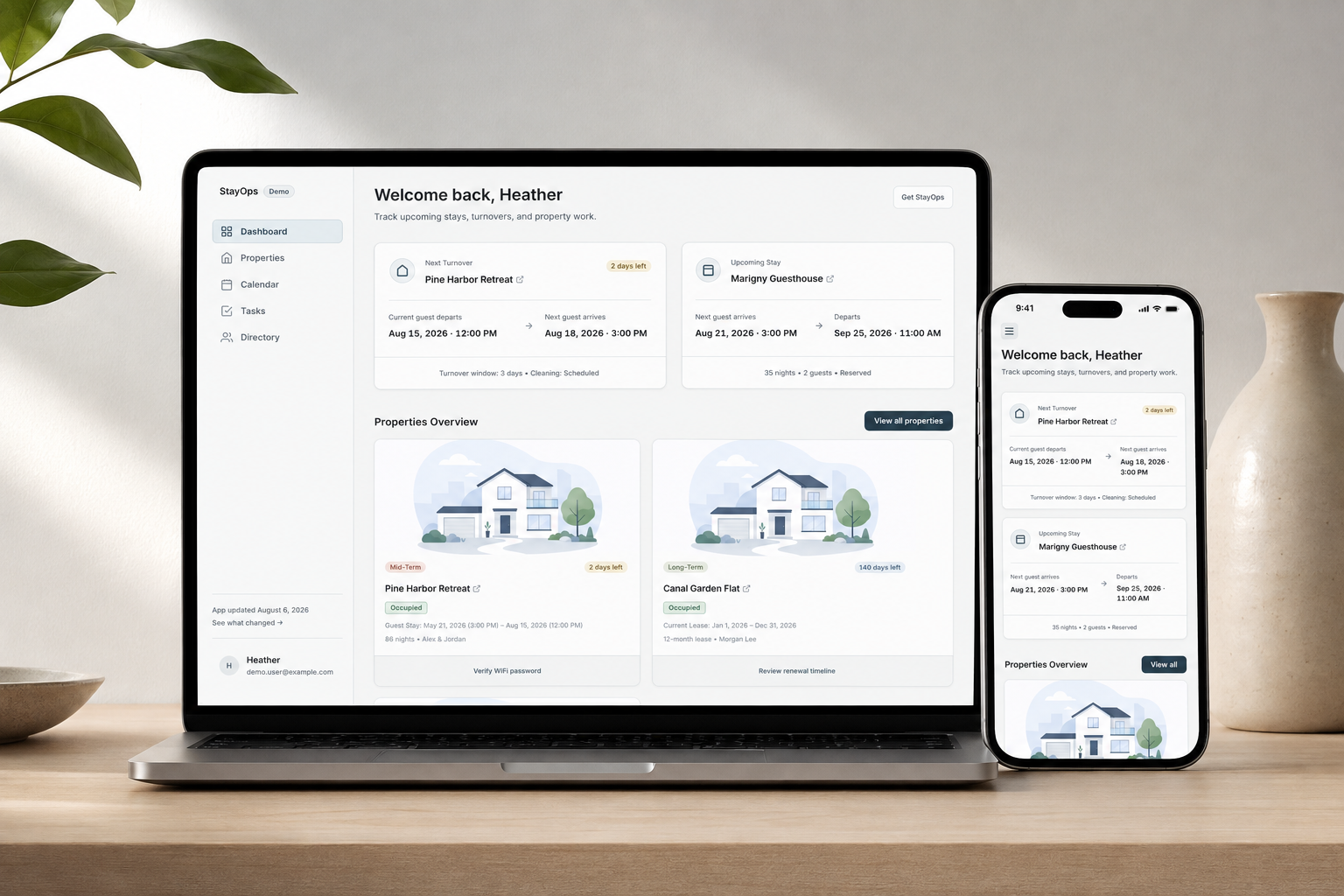
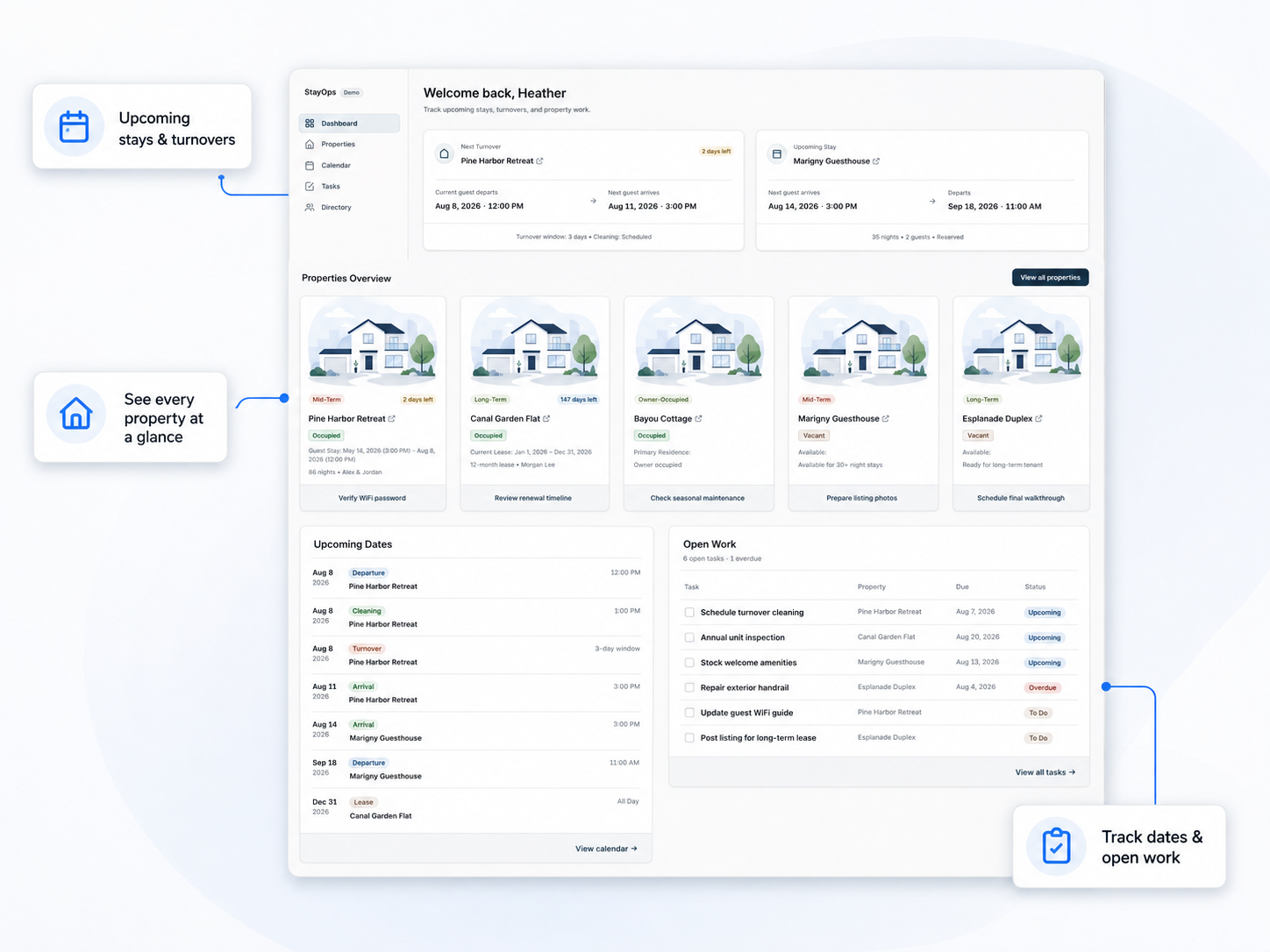
Know what needs attention
StayOps brings the essential parts of day-to-day rental operations into a single view, so you can quickly understand what is coming up, what still needs attention, and what is happening at each property.
Use it to track:
Upcoming stays, move-ins, and important dates
Turnovers and property preparation
Cleaning, yard, and maintenance work
Open tasks and unresolved issues
Property contacts and service providers
Supplies and guest-readiness information
The operational details for each property
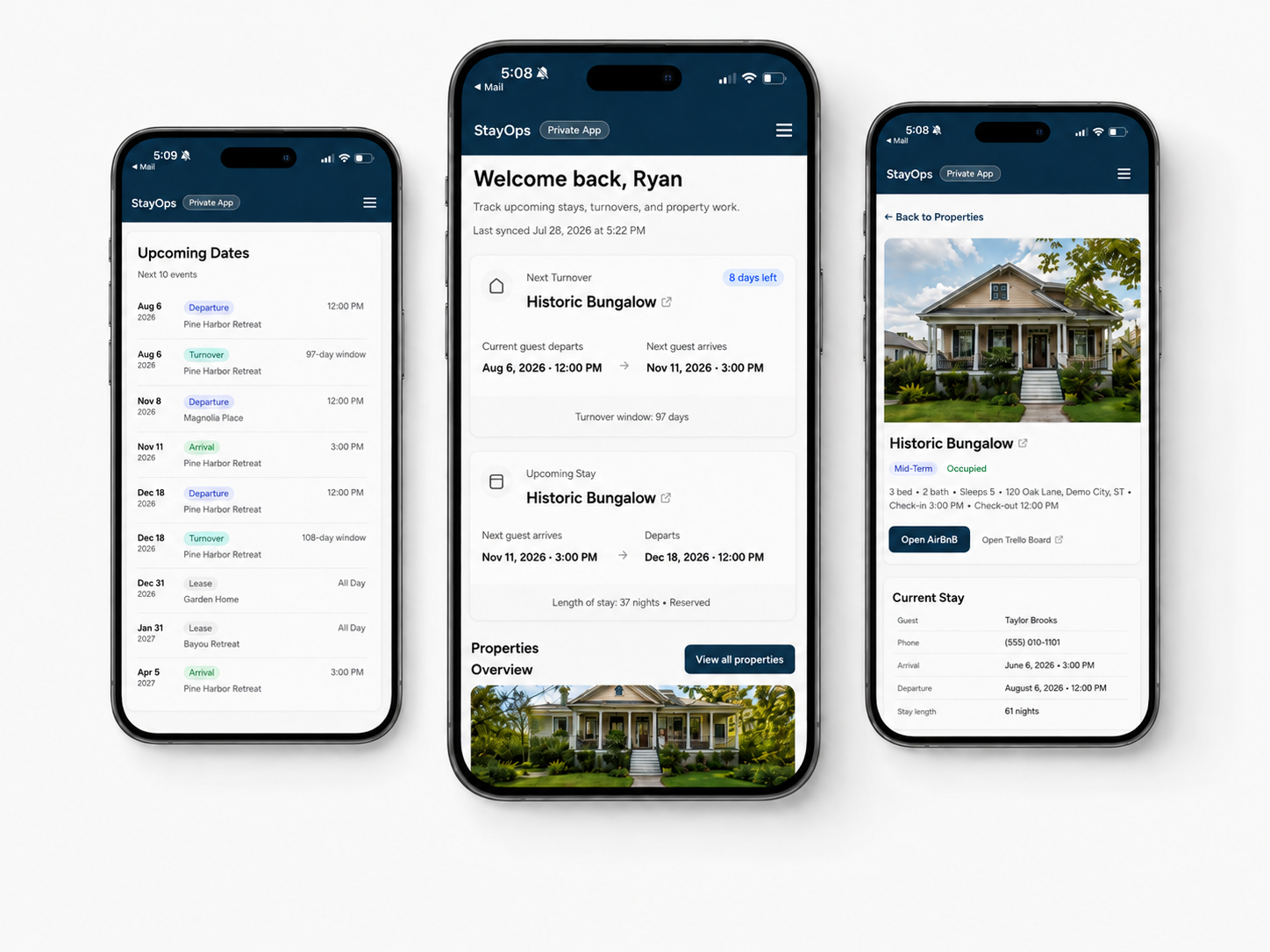
Review the whole portfolio, open an individual property, find the information you need, and coordinate work from a phone or computer.
StayOps is designed for owners who need more structure than a spreadsheet alone provides, but do not need—or want—the complexity of a large property-management platform.
Features
Portfolio overview
See occupancy, upcoming activity, important dates, and open work across the portfolio.
Property details
Keep contacts, utilities, policies, supplies, providers, links, and operational notes together.
Connected information
Core uses a structured Google Sheet. Connected setups can also bring in supported calendars, tasks, and other data sources.
Private & mobile-friendly
Access your workspace from a phone or computer using secure email sign-in.
How it works
1. Request a setup
Tell us about your properties, rental types, current tools, and whether your information is already organized.
2. Add your information
After we confirm the right option, you receive your StayOps Google Sheet and onboarding instructions.

Standard Core workspaces are typically ready within three business days after the required information is complete.
3. Atlas prepares your workspace
We review the data, configure approved connections, test access, and prepare your private dashboard.
4. Start using StayOps
Open your private workspace from your phone or computer and continue updating the supported source tools.
Options and pricing
Not sure which option fits? Submit a setup request and we will recommend one before you pay.
StayOps Core
For straightforward and long-term-heavy portfolios
Structured Google Sheet
Portfolio and property views
Lease dates and important dates
Contacts, utilities, policies, and supplies
Manually maintained property work
Private hosted workspace
Secure email sign-in
$99 for the first year
$79/year afterward
Need help organizing your information?
Atlas can help clean up and transfer information from existing spreadsheets, calendars, documents, and other sources.
Assisted organization starts at $150.
StayOps Connected
For mixed rentals and information spread across multiple tools
Everything in Core, plus:
Up to three approved supported connections
Upcoming stays and departures
Turnover visibility
Property-specific tasks
Connected dates and calendars
Setup and testing of supported sources
Starting at $399 for the first year
Starting at $149/year afterward
New integrations or significant data transformation are quoted separately.
StayOps Custom
For larger portfolios and specialized workflows
May include:
More complex data or portfolios
More than three sources
Existing spreadsheet adaptation
Custom views or fields
New integrations
Migration, branding, or workflow design
Projects start at $1,500
Built to solve a real operating problem
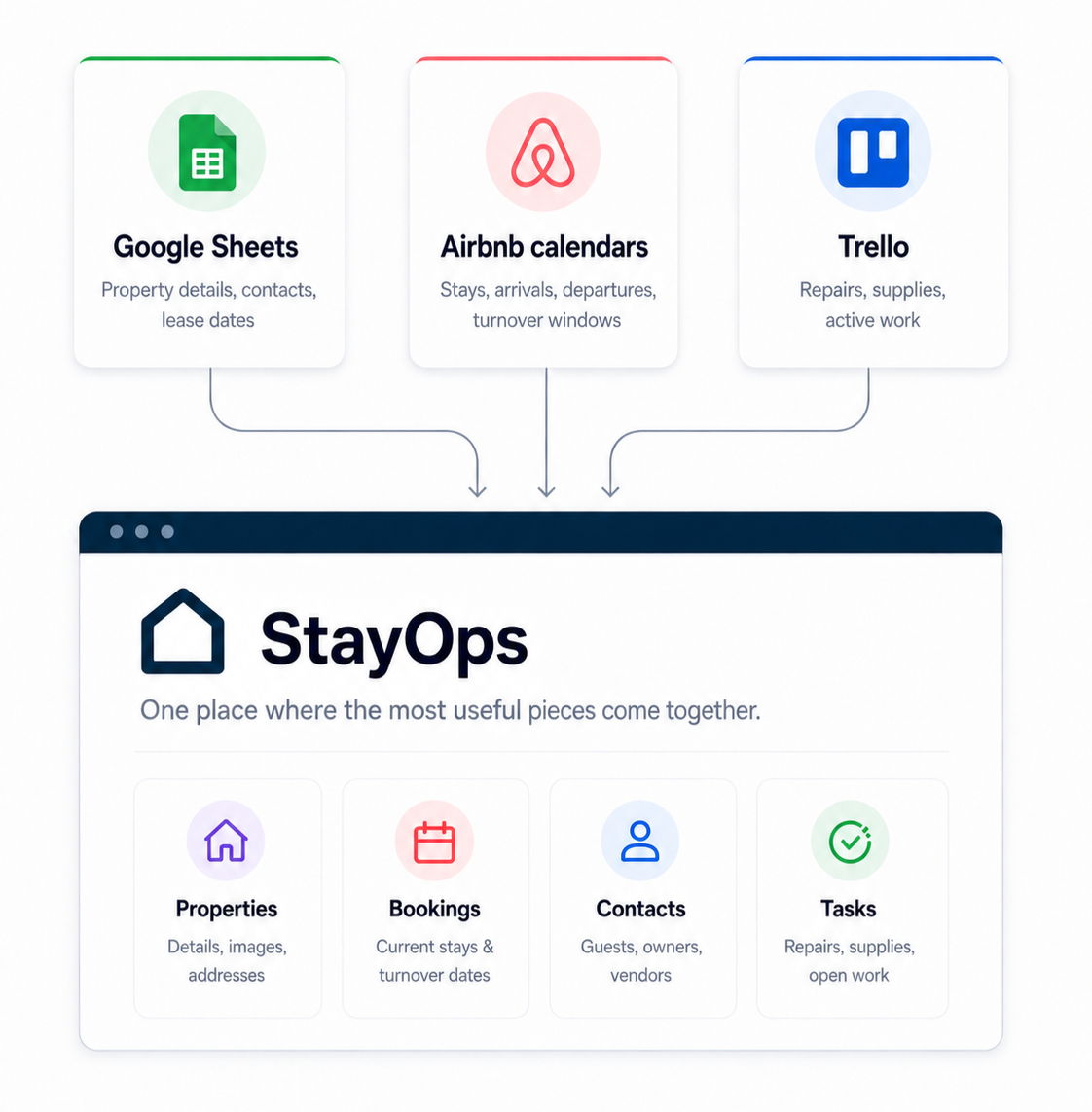
StayOps began as a way for one household to manage a mixed rental portfolio more reliably.
Property information lived in Google Sheets, stays came from booking calendars, work lived in Trello, and other details were spread across documents and memory.
StayOps brought those sources into one view that could be checked from a phone or computer.
FAQs
Is StayOps a property-management platform?
1
No. It does not currently handle accounting, rent collection, tenant screening, pricing, bookings, or guest messaging. It provides an operational view of properties, dates, work, contacts, and supporting information.
Which option is right for me?
2
Core is best for straightforward or long-term-heavy portfolios. Connected is more useful when stays, turnovers, tasks, and dates come from other tools. Custom is for larger or specialized workflows.
Is there a property limit?
3
There is no simple limit based only on property count. We also consider data sources, workflow complexity, number of users, and setup effort.
What happens if I already have spreadsheets?
4
You can transfer compatible information into the StayOps sheet. Assisted organization is available when existing information needs cleanup, consolidation, or custom mapping.
What can StayOps connect to?
5
It currently supports Google Sheets, Airbnb-compatible iCal feeds, and Trello. Other calendars, spreadsheets, task tools, and rental-platform sources can be reviewed for compatibility.
How does setup and sign-in work?
6
After we confirm the setup and payment, you receive the onboarding sheet. Atlas reviews and configures the workspace, then sends your private link. Access uses secure email sign-in, so there is no password to remember.
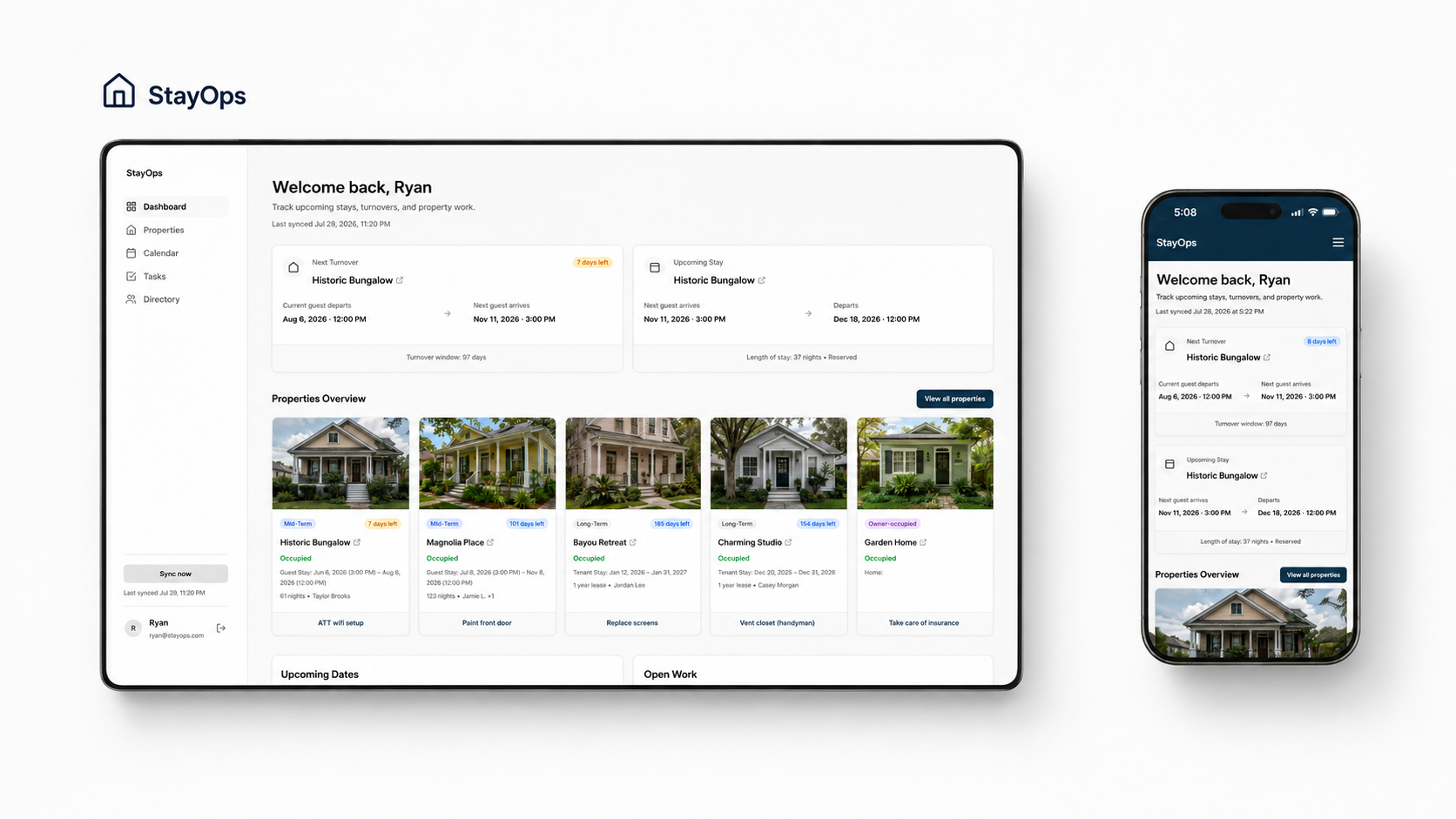
See what StayOps could look like for your properties
Explore the fictional demo, then tell us what you manage and which tools you currently use.
We will recommend the appropriate setup and confirm pricing before you pay.
Curious how StayOps was designed and built? Read the build story →